
Review and Approve
Do not treat agent work as finished until you have checked the task result, logs, and changes. Review is where you keep quality and scope under control.
1. Open the task
Start from a task in Review or Done. Read the title, owner, status, and description first.
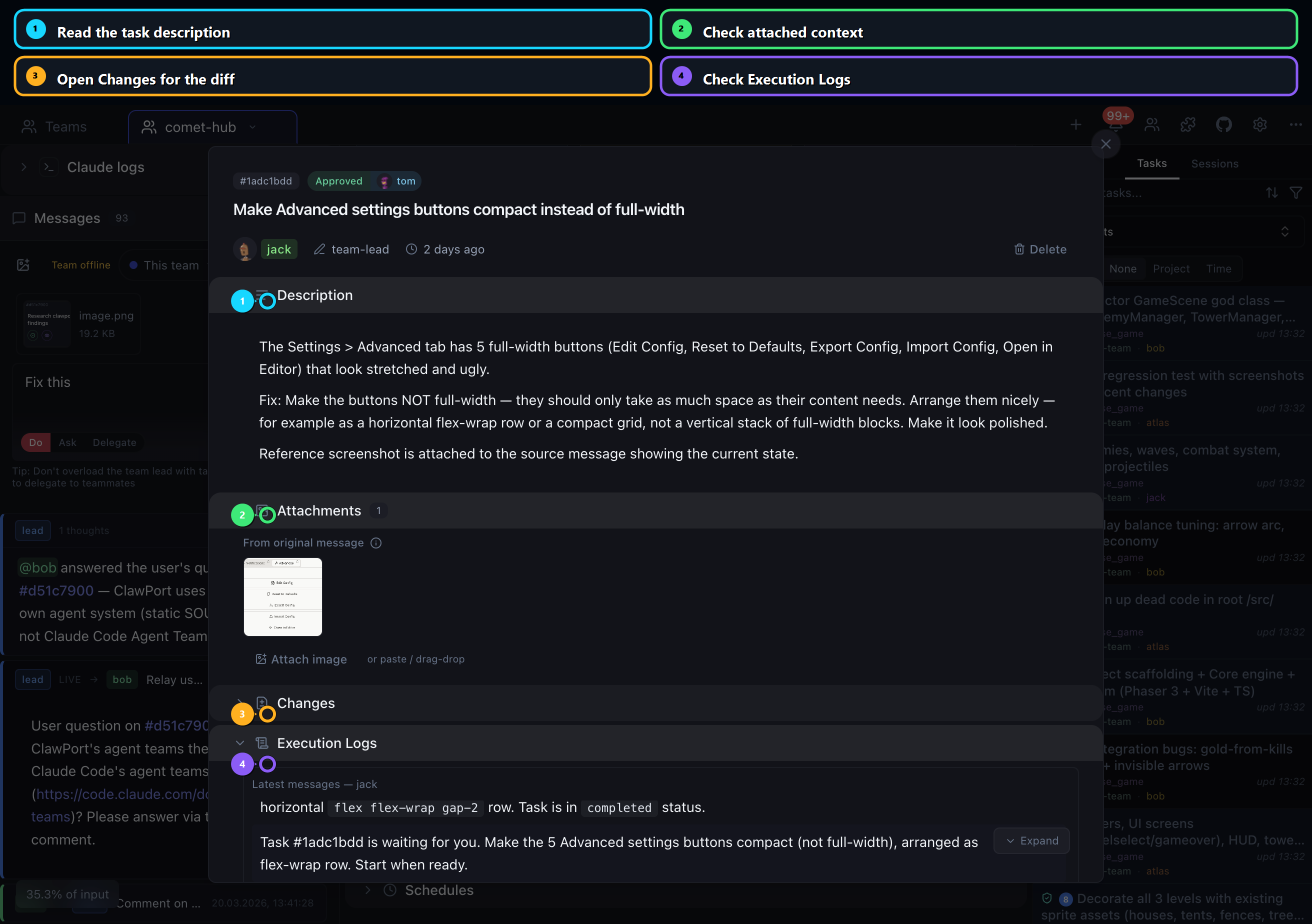
Look for:
- a clear task goal
- files or areas that match the requested scope
- a final comment from the teammate
- a verification command and result
2. Check execution evidence
Execution Logs answer the basic trust questions:
| Question | What to look for |
|---|---|
| Did the agent actually work on this task? | Tool calls, comments, and status changes inside the task timeline. |
| Did it run verification? | Build, test, lint, or docs commands with visible results. |
| Did it coordinate with others? | Messages or comments that explain handoffs and blockers. |
| Did it touch unexpected files? | Changes that do not match the task description. |
If logs and final comment disagree, ask for clarification before approving.
3. Review the diff
Open Changes and inspect each changed file.
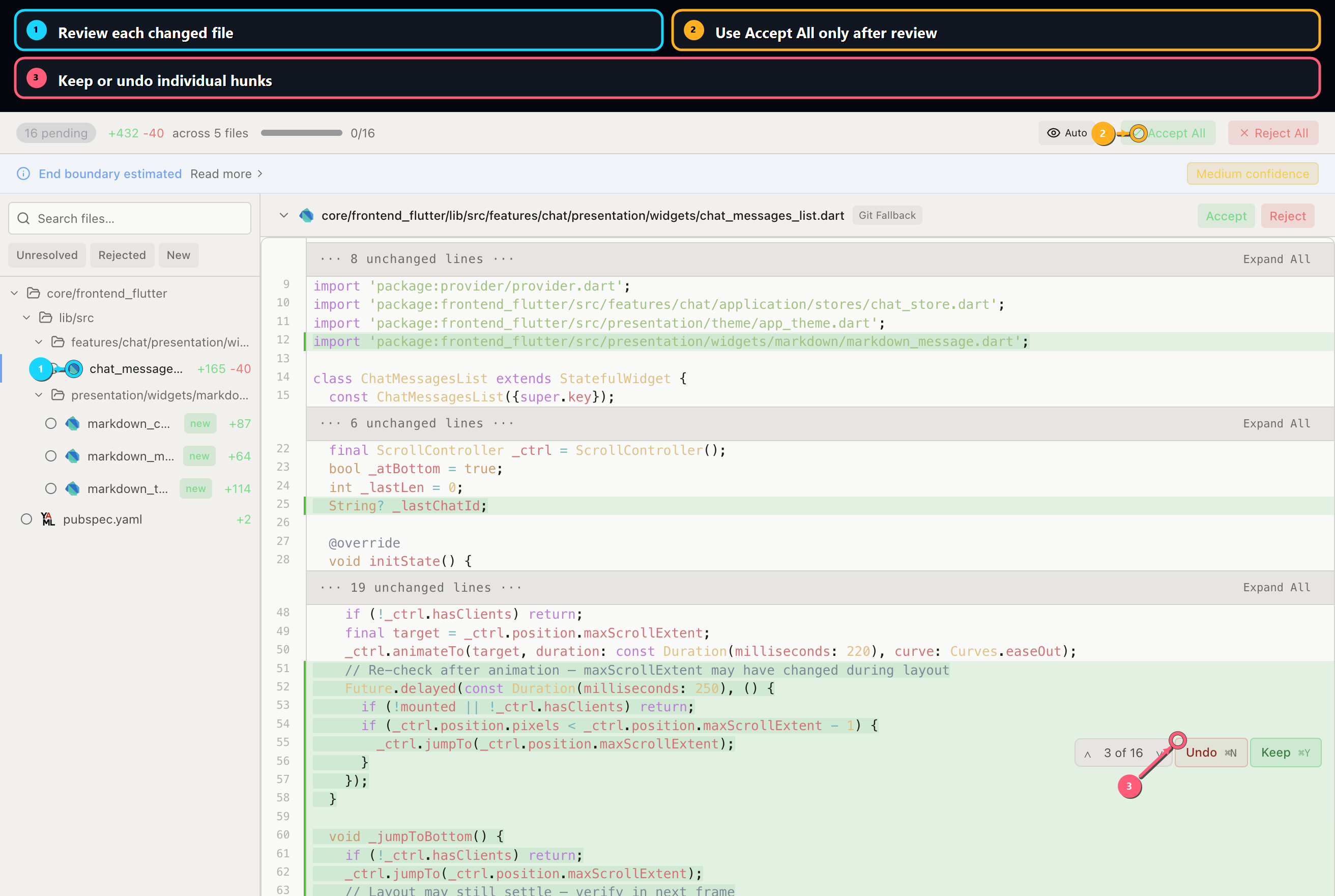
Use this order:
- Read the file list.
- Open each changed file.
- Check whether the changes match the task.
- Keep correct hunks.
- Undo or reject risky hunks.
- Approve only after all important files are reviewed.
4. Request fixes clearly
When something is wrong, do not just reject the task. Leave a specific fix request:
text
Please keep the copy improvements, but revert the unrelated runtime wording in the provider table. Add the `pnpm --dir landing docs:build` result before resubmitting.Good fix requests name:
- what to keep
- what to change
- what to avoid
- what verification is required
5. Approve only when the result is complete
Approve when:
- the task scope is satisfied
- the diff matches the task
- verification passed or the missing verification is explicitly justified
- no unrelated changes are mixed in
- comments explain important decisions
If the task changed docs or UI, also open the relevant page or app screen before approval.
6. Final checklist
Before closing the review:
- Files changed are expected.
- The task has a final result comment.
- Verification result is present.
- Risky hunks were checked individually.
- The lead or reviewer marked the task approved.
If anything is unclear, request changes instead of approving.