
Run and Monitor Work
After the team launches, your job is to keep the work visible, scoped, and reviewable. The board is the main operating surface.
1. Brief the lead clearly
The lead needs a goal that can be split into tasks. Include:
- the outcome
- the allowed files or product area
- what not to touch
- verification commands
- when to ask for review
Good brief:
text
Create a beginner docs path. Keep edits inside landing/product-docs. Add screenshots where they clarify actions. Do not touch runtime code. Run `pnpm --dir landing docs:build` before marking tasks complete.Weak brief:
text
Improve docs.The weak brief can work, but it gives the lead too much freedom and makes review harder.
2. Read the board by lane
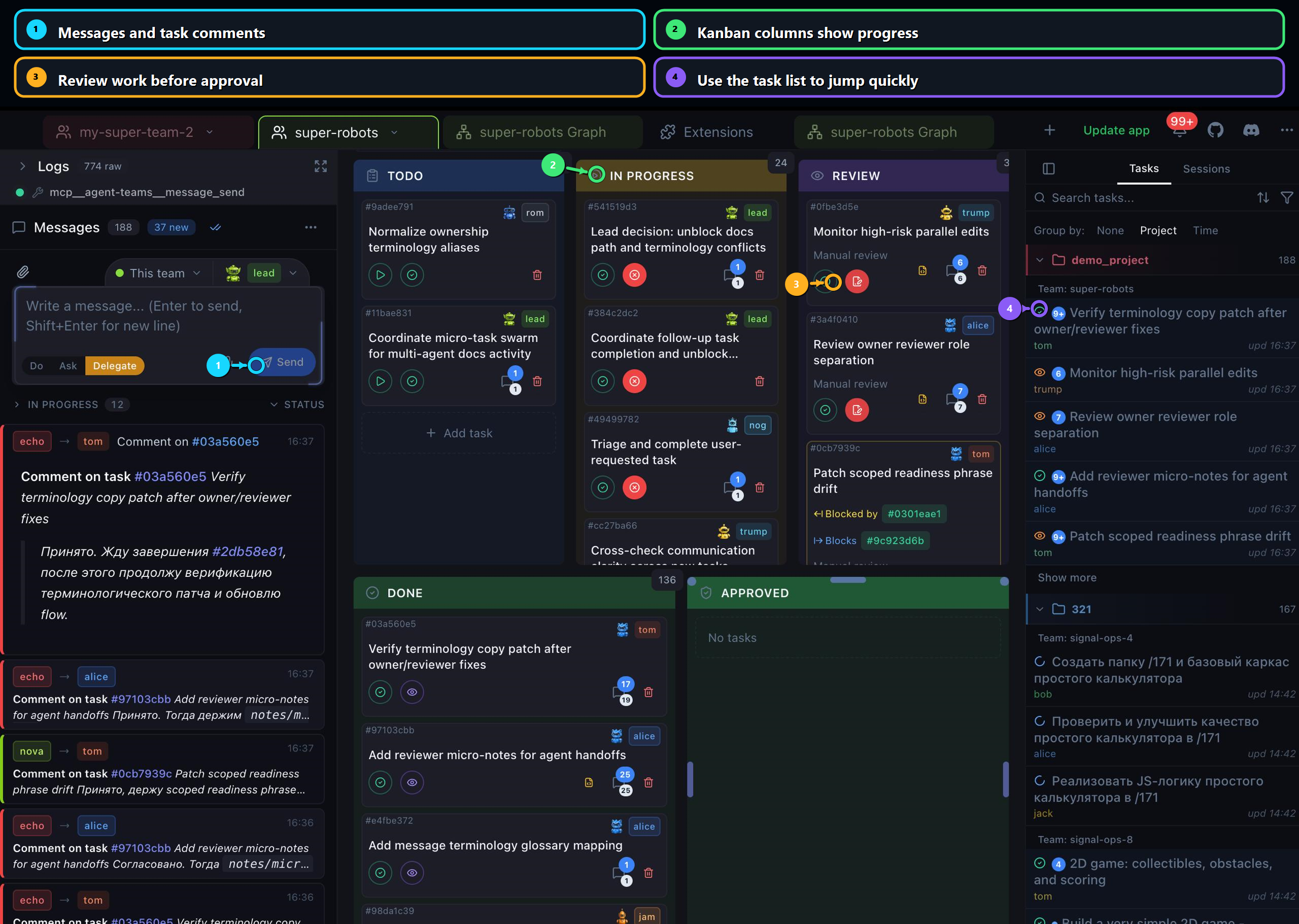
| Lane | What it means | What you should do |
|---|---|---|
| Todo | Tasks exist but are not active yet. | Check whether task titles are specific enough. |
| In Progress | A teammate is actively working. | Watch for updates and avoid assigning duplicate work. |
| Review | Work needs inspection. | Open the task and review changes. |
| Done | Work is completed but may still need review flow. | Confirm review state before trusting it. |
| Approved | Review passed. | Treat as completed output. |
3. Use messages and comments deliberately
Use task comments for task-specific context:
text
Please keep this task scoped to the quickstart page. Do not change runtime setup wording in this pass.Use direct messages for coordination:
text
Lead, pause new task creation until the current review queue is cleared.Prefer task comments when possible. They stay attached to the work and make review easier.
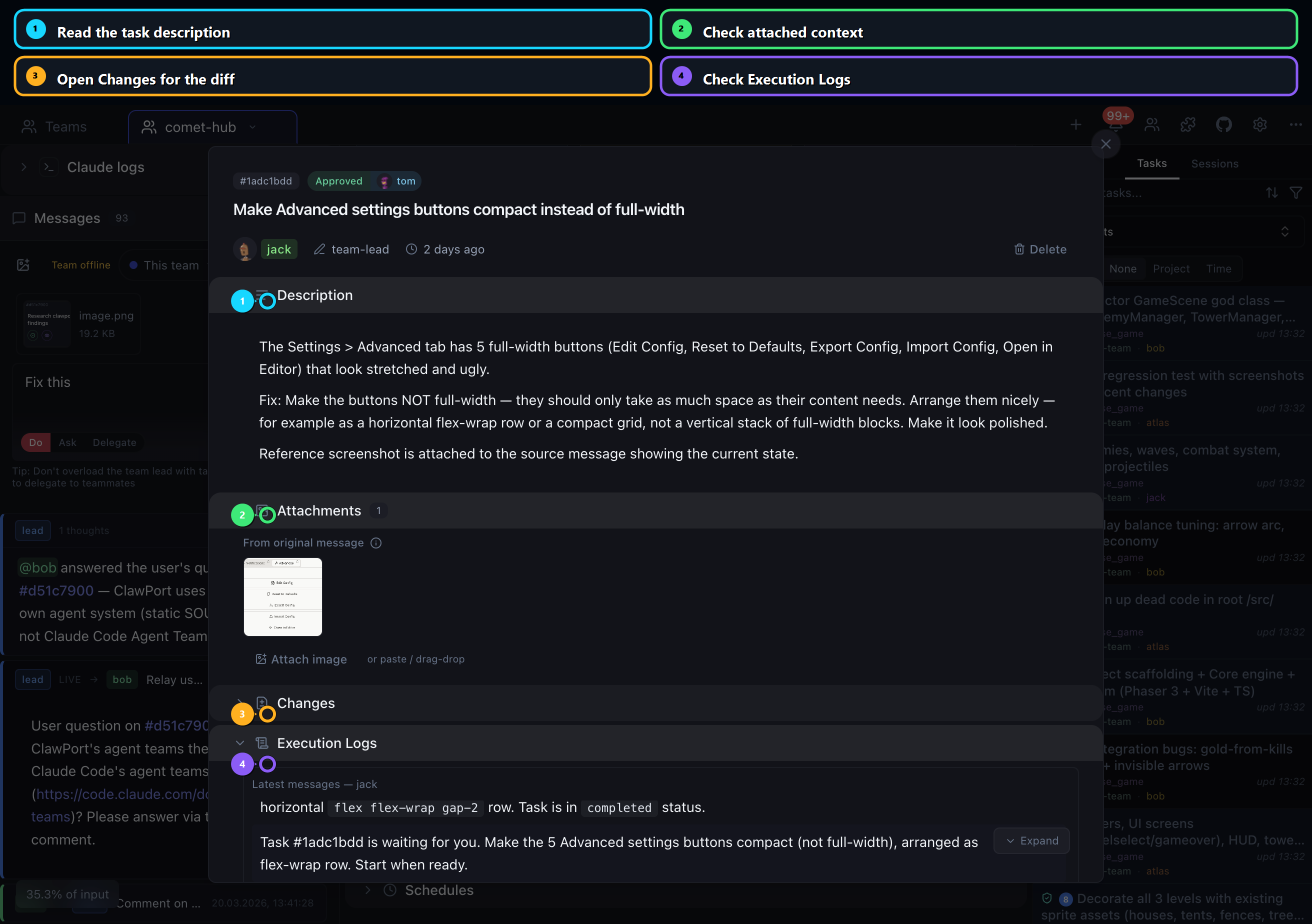
4. Open task detail when a card needs attention
Open the task detail when:
- the title is too vague
- the task has been in progress too long
- the task is ready for review
- the output mentions files you did not expect
- you need to inspect attachments, changes, or logs
5. Keep work unblocked
If a teammate is blocked, ask for the smallest next step:
text
Post the blocker, the file or command involved, and the next action you need from the lead or user.If the task is too large, ask the lead to split it:
text
Split this into separate tasks for copy edits, screenshot assets, and navigation updates. Keep each task independently reviewable.6. Decide when to stop the team
Stop or pause when:
- the review queue is larger than you can inspect
- the lead creates vague tasks repeatedly
- runtime errors appear in multiple tasks
- agents start editing unrelated files
- verification is missing from completed work
You can always relaunch after tightening the brief.
Next: Review and approve.